



Riverspin Mobile Access
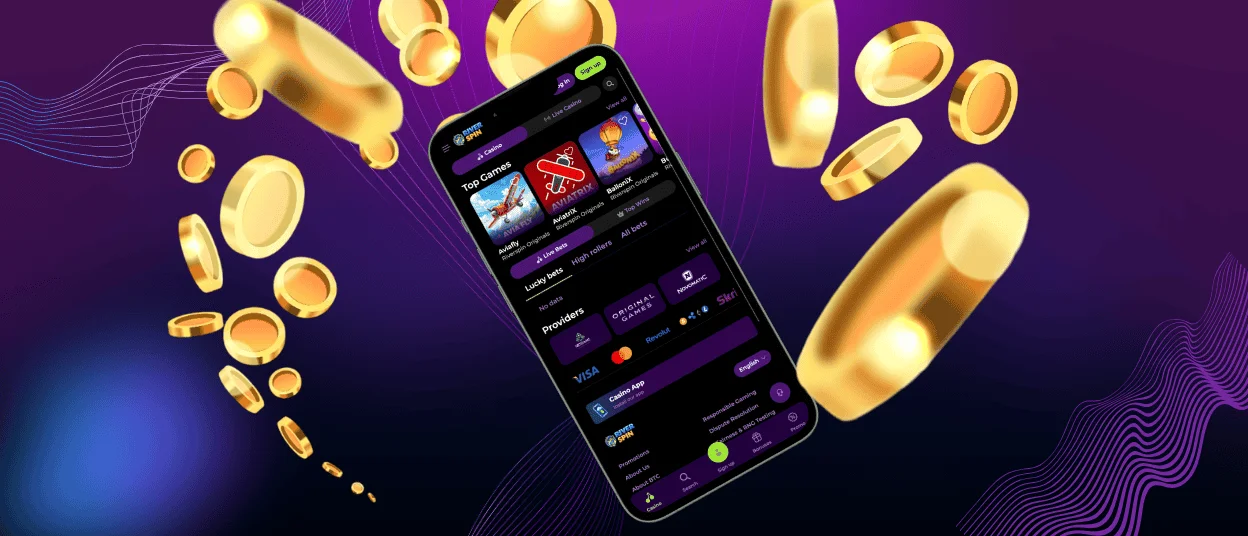
If you have ever fancied the idea of having a mobile casino in your pocket, then the Riverspin app will turn that concept into a reality. After all, gadgets are much more popular than desktop computers, and we want to reach all our players regardless of the device they use without sacrificing convenience.



Using Riverspin on Mobile
Statistics indicate that more than 80% of people access Riverspin Casino using mobile devices. This information gives us a better understanding of how to provide a prime gaming experience for the majority of our players. Even though we made sure the browser version adapts to smaller screens just fine, this is not the extent of what we can do.
The River Spin app delivers all the familiar functions in a compact new package. We want to retain the functionality of a browser version while changing the user experience to be more app-like. Regular mobile software excels in the latter aspect but inadvertently brings challenges of its own. Here’s what we managed to achieve with our PWA solution:
| Feature | Details |
| Instant Accessibility | You don’t need to wait for the Riverspin app to download. A PWA creates a shortcut to our website, applying an interface tailored for mobile devices when you click it. |
| Cross-Device Compatibility | Regular apps require complex coding to work properly across devices and operating systems. Our software works perfectly well on mobile phones, tablets, and even computers. |
| Fast Loading Speed | If you have a stable internet connection, all game loadings take no more than a few seconds, and there are no delays during gameplay and navigation whatsoever. |
| Low Storage Requirement | Since the Riverspin app is not a full-fledged mobile software, it doesn’t take up much space. You definitely won’t need to delete anything to install it. |
| Automatic Updates | Our app relies on the browser to run, which means there is no need to update it. The latest version is launched every time you start it. |
| Push Notifications | Notifications on gadgets are more noticeable than those on desktop computers. We have incorporated push notifications into the Riverspin Casino PWA so you can stay up to date in real time. |
We bridged the gap between browser and mobile casinos with a single solution: the Riverspin app. The storage space requirements are infinitesimal, gameplay stays smooth on any device, and the most frequently visited tabs are always at hand. Our online slots also have a different design, with no excessive features found in browser versions.
You can download our software whether you are a regular player or a new user. If the former is true, you won’t need to log in to your account again: the app will do that for you. New players can create an account and go through the verification process right in the app.
Riverspin App for Android
All Android users can download our software without searching the Play Store. You only need to visit the River Spin Casino website and follow these simple instructions:
- Click the “More” icon (three dots) in the address bar.
- Choose “Add to home screen.”
- Click “Add” to confirm your choice.
A corresponding Riverspin Casino icon will appear on your home screen. By clicking it, you will be immediately redirected to our website adjusted to your device.
PWA Advantages
Progressive Web Applications occupy the middle ground between native apps and websites. They use your browser’s offline cache for installation and run on the same technologies as websites. There aren’t many differences for users between PWAs and native apps, even though their operating principles differ.
There are two main reasons why we chose the PWA version for the Riverspin app:
- Development speed. Creating software for each platform is a strenuous task. Such apps require constant supervision, as any changes in the OS may cause crashes and launch failures. PWA lacks any of those issues, so we can direct our efforts elsewhere.
- Focus on the user. User experience is not limited to interface design: if an app requires more free space than you are ready to allocate, you are much less likely to install it. We wanted to reach everyone, and a small app size is the best way to do that. All we ask for is 12 MB and nothing more.
When installing standalone apps, Android users might also need to download APK files. While the technology itself is harmless, we suggest you don’t install any third-party files you might find. River Spin Casino only distributes PWA software, so any APK you find is not from us.

Riverspin App for iOS
Cross-platform compatibility is one of the main benefits of the PWA, meaning iOS users can also install the River Spin app. The process is almost identical but requires you to use a specific browser.
- Open Riverspin Casino using the Safari browser.
- Click “Share.”
- Choose “Add to Home Screen.”
- Confirm your choice by clicking “Add.”
The Android user instructions might not do anything for you if you use the standard Google browser. If you don’t know which of the two instructions to follow, you can contact the Riverspin Casino support team via live chat or email.
Desktop App for Windows and macOS
Even though our app’s target audience is mobile users, everyone with a desktop computer can enjoy the same benefits. Both Windows and macOS owners can install the River Spin app by clicking the “Install application” icon in the address bar. This version lacks all the usual browser interface elements, allowing you to focus fully on your gaming session.

FAQ
Does the Riverspin Casino app offer customer support?
Yes, our software shares all the functions of the browser version, meaning you can contact our customer support via live chat or email as usual.
Are app permissions required for core functionality?
No, we don’t need access to any of your phone’s systems to run the application. Our app will use your chosen browser’s settings to send notifications if you enable them.
Does the app consume significant mobile data?
Website navigation doesn’t require much data, but gameplay might. We suggest using Wi-Fi if your mobile tariff doesn’t include much internet data.


